Turfs

The thing Windows users brag about?
We have it now.

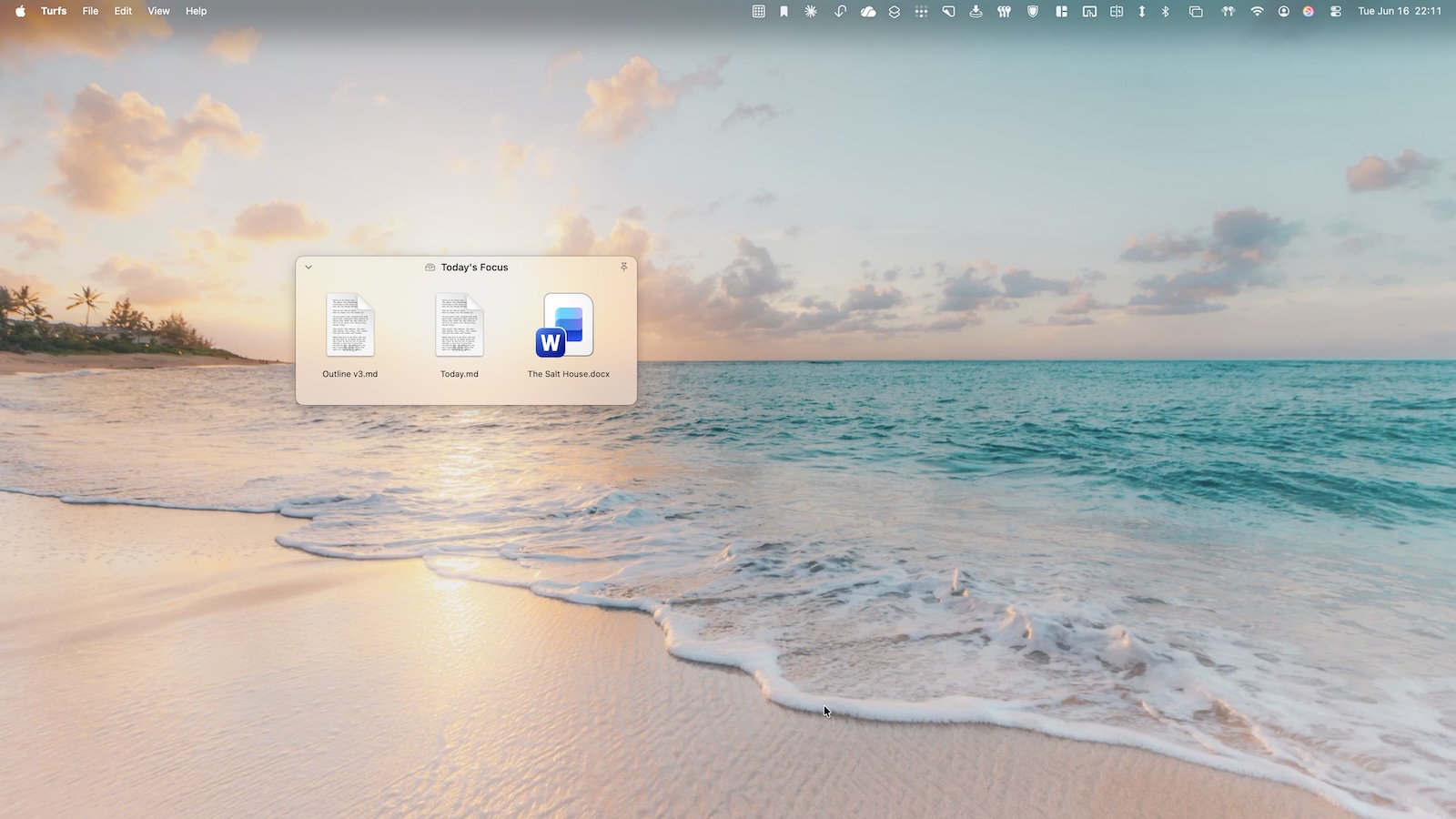
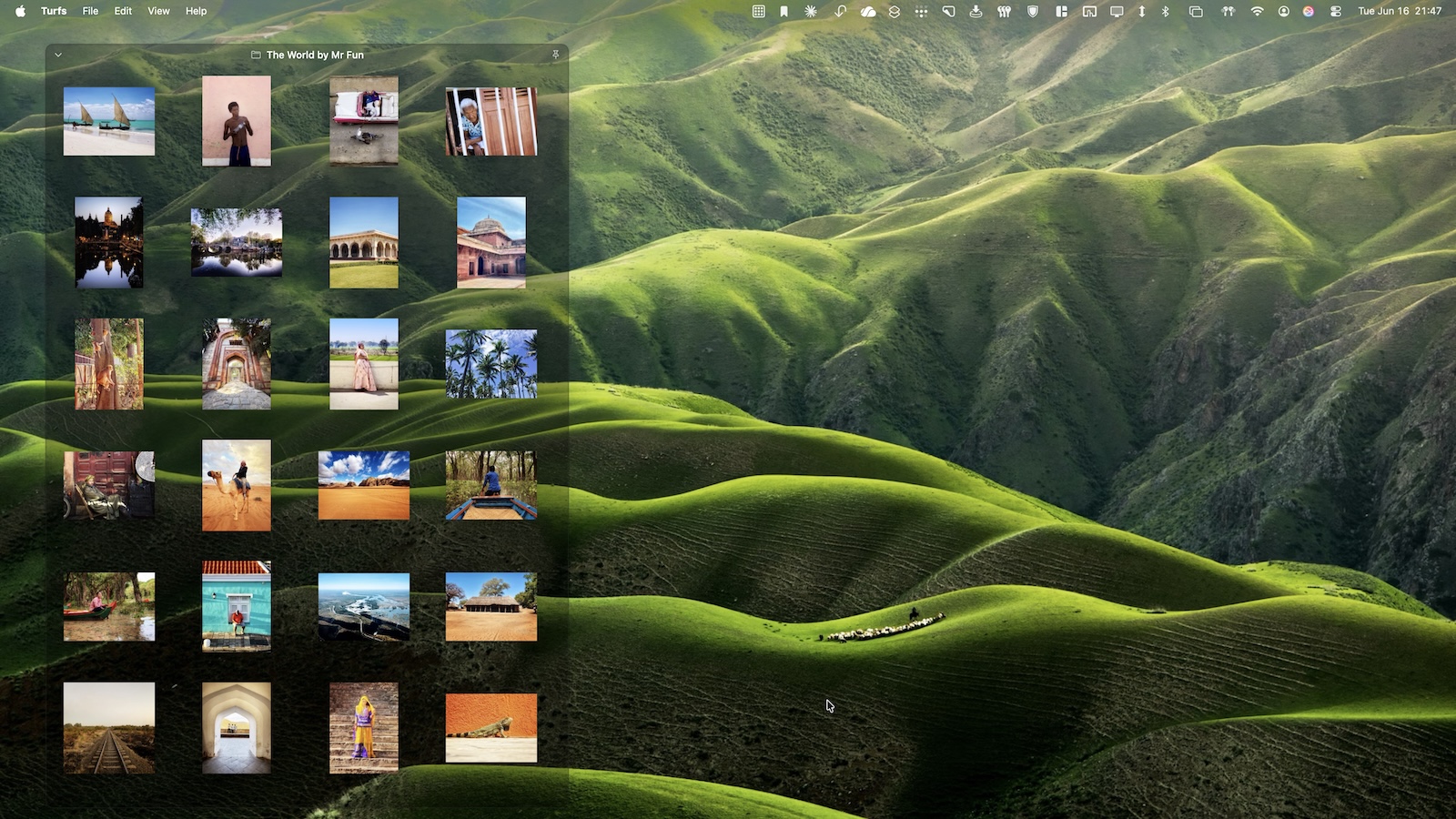
Turfs lets you carve your Mac desktop into labeled areas — folder-backed, tag-backed, or virtual. Your wallpaper shows through. Mission Control still works. The desktop just finally does something.

Available via direct download.

You came from Windows and you miss Fences.

You looked for a Mac equivalent in 2018. And 2021. And 2024. iCollections isn't it.

You stopped expecting Apple to fix the desktop.

Apple shipped Stacks. Stacks group by file type, which is rarely how anyone actually thinks. The Mac desktop in 2026 works almost exactly the same as it did in 2007.

The problem

The Mac desktop never grew up.

Windows users have had Stardock Fences since 2009. Twenty million downloads. A whole generation of PC users learned what a desktop could be: defined areas, labeled groups, files arranged with intent. Then they switched to Mac. And waited.

Apple shipped Stacks. Stacks group by file type, which is rarely how anyone actually thinks. Apple shipped Tags. Tags are invisible until you open a sidebar. The Mac desktop in 2026 works almost exactly the same as the Mac desktop in 2007.

Third-party attempts came and went. iCollections shipped, stalled, faded. Stardock looked at porting Fences to Mac and walked away. The Mac desktop became the last place a Windows refugee felt homesick.

The solution

Fences. On Mac. Native.

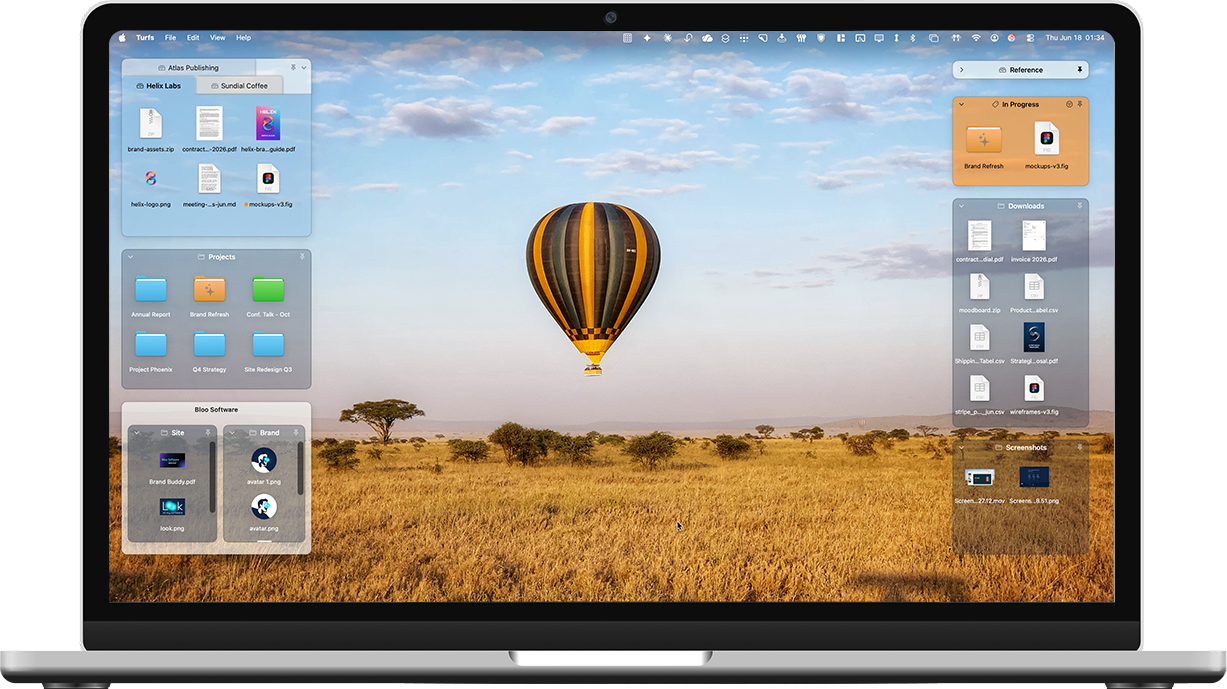
Turfs is a desktop organizer for macOS. It replaces Finder’s desktop icon layer with its own, lets you carve the desktop into labeled areas, and gives each area its own behavior. Your wallpaper still shows through. Mission Control still works. The Mac desktop just finally does something.

Folder
Folder turfs

Backed by a real folder. Drag a file in, it moves into the folder. The filesystem stays clean. The file has a real home, visible on the desktop.

Tag
Tag turfs

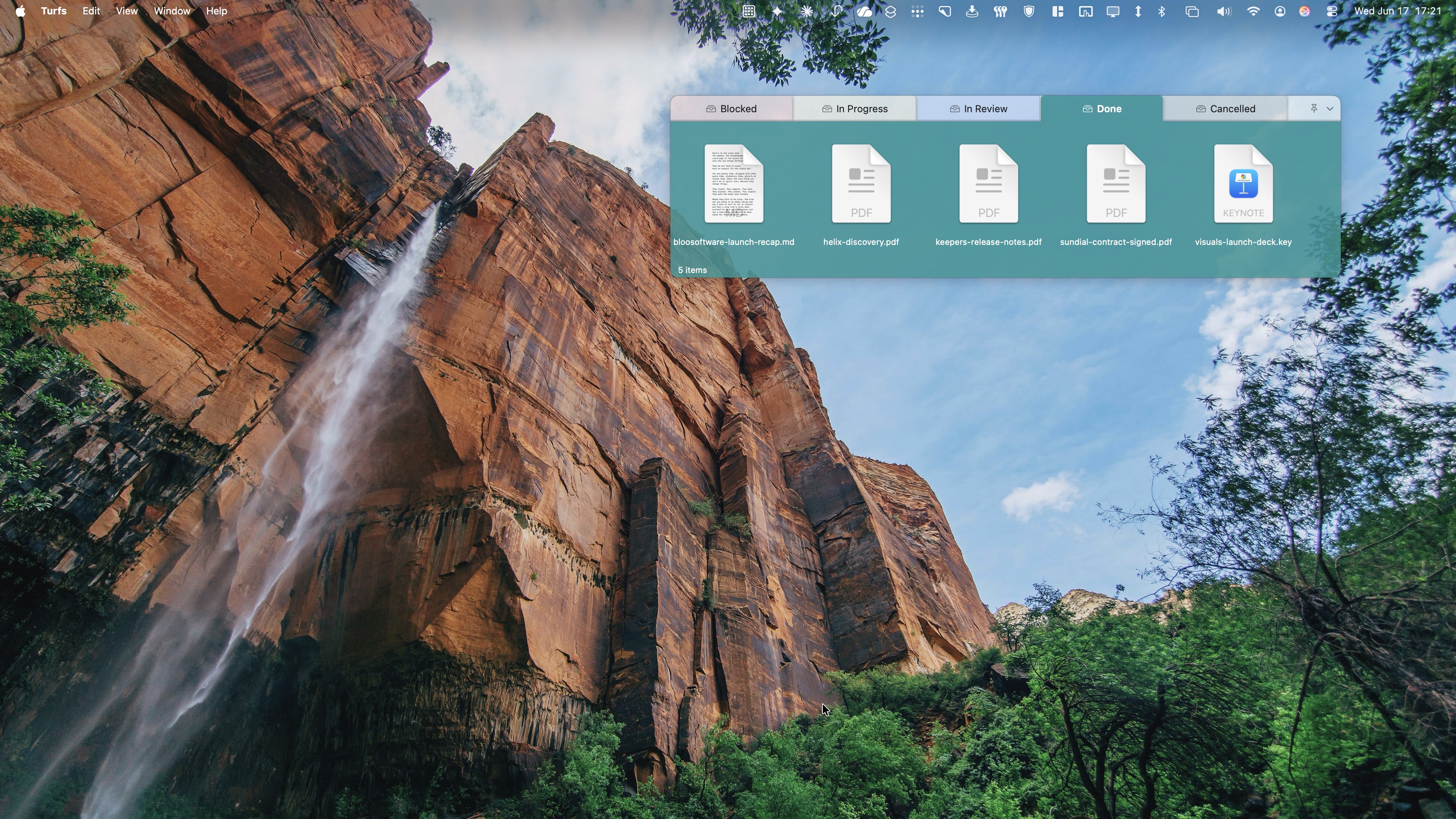
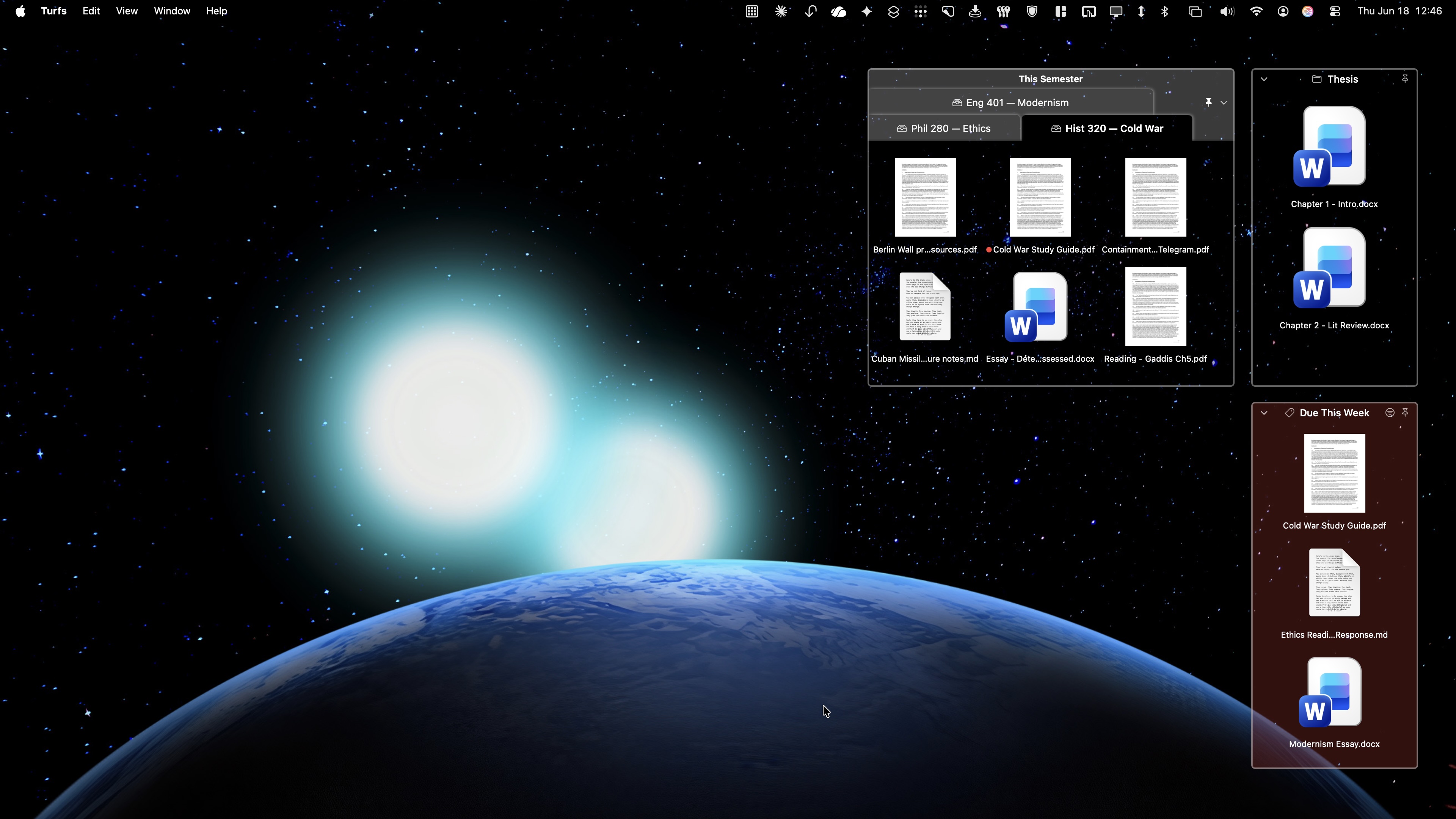
Backed by a Finder tag. Drag a file in, it gets the tag. The turf shows every file with that tag from anywhere on your Mac. The file doesn’t move.

Collection
Collection turfs

Virtual groupings. Drag files in, they appear in the turf but stay exactly where they are on disk. Nothing destructive ever happens.

📳
Loose icons stay loose.

The files that don’t belong in a turf stay where you put them on the desktop. They dodge out of the way when you move a turf over them.

🍎
Native everywhere it matters.

Quick Look with spacebar. Get Info with Cmd-I. Trash with Cmd-Delete. Drag to any app, alias arrows, folder paper-peek, the whole context menu. Turfs uses macOS conventions because anything less would feel like a Windows port.

🔒
Local-first. No accounts. No tracking.

Turfs doesn’t have a server. It doesn’t have analytics. It doesn’t phone home. Your turfs live in a single JSON file in ~/Library/Application Support/. Quit Turfs, and your desktop returns to exactly the way macOS shipped it.


Customize YOUR EVERY TURF

Every detail, your way.

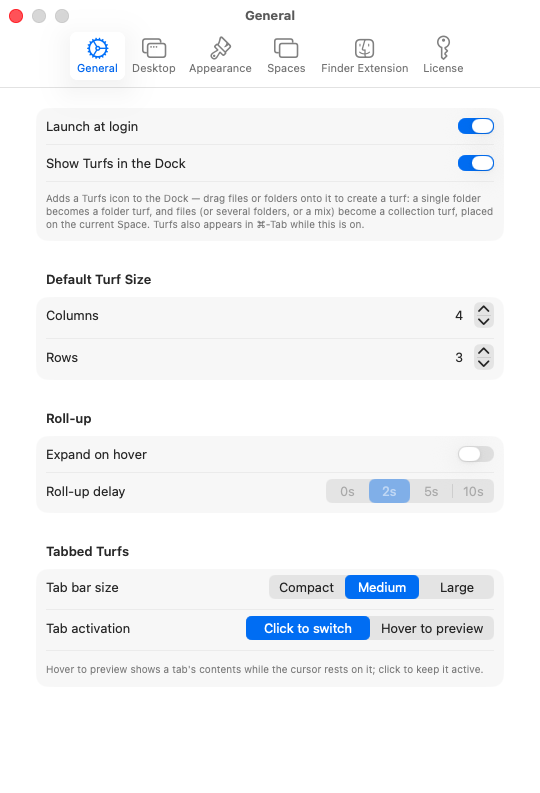
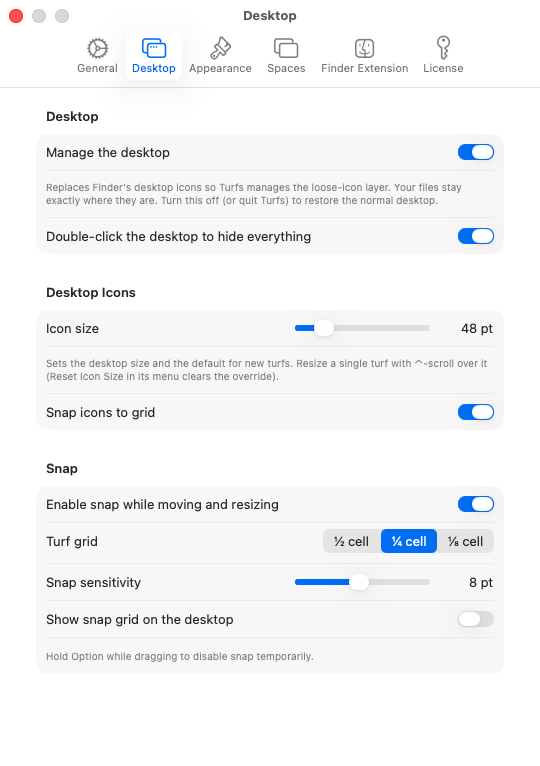
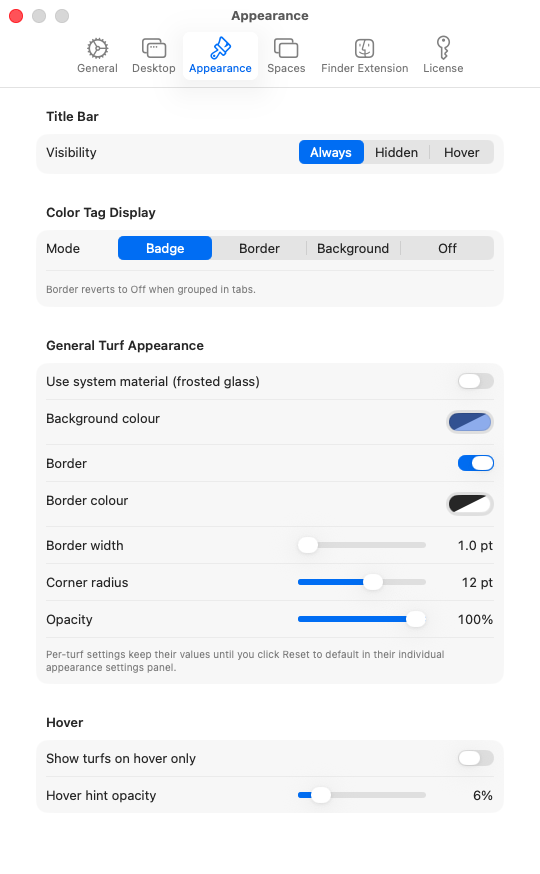
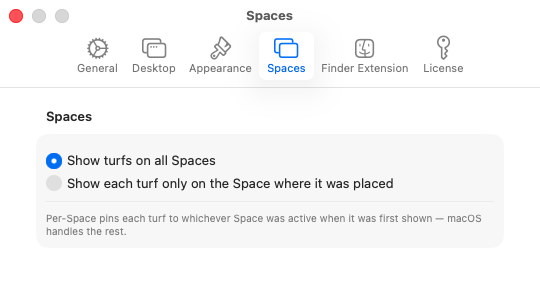
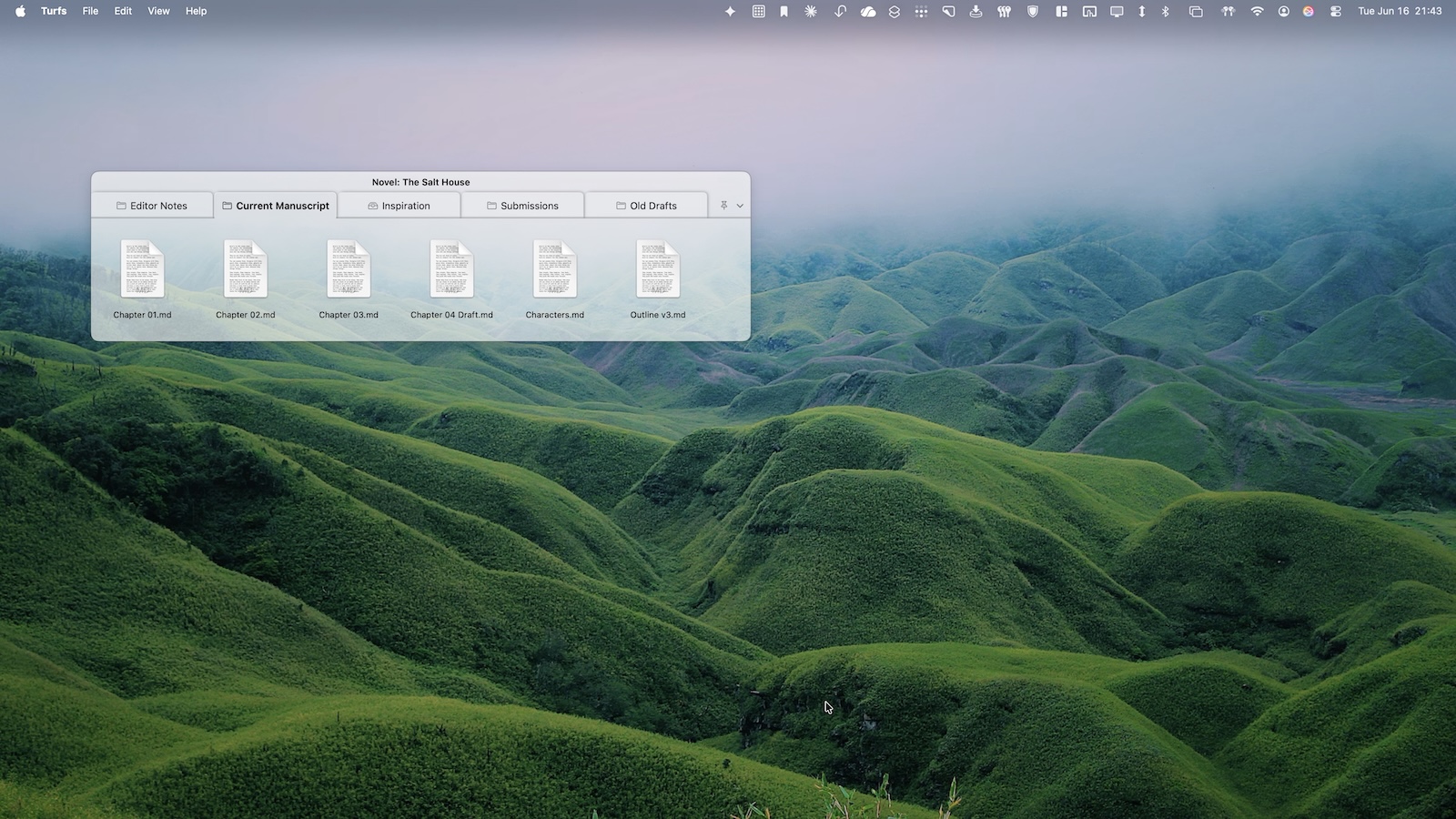
Background color, opacity, border, corner radius, label visibility. Hover-only mode for a clean desktop. Snap to grid. Snap to other turfs. Per-Space behavior. Tabbed turfs. The defaults look good. The customization is there when you want it.


Pricing
Turfs
$29.99
  • 10-day free trial, no card required
  • Unlimited turfs from day one
  • All three turf types (folder, tag, collection)
  • Full appearance customization
  • Free updates forever
  • License key — works offline, no account needed

One-time purchase. No subscription. No renewal.


The desktop is a feature, not a mess.

Fences proved that on Windows for fifteen years.
We’re proving it on Mac.

Privacy Policy →

Requires macOS 14 Sonoma or later. Apple Silicon recommended.